Do you want to increase culinary shop sales quickly, registering your shop on an online food delivery platform is a smart move, here’s a quick look at how to register a Grabfood merchant.
However, managing many orders at once often makes your head spin. You need a smart solution to manage all your business transactions.
Labamu is here to help tidy up the Indonesian culinary business sales system. Let’s look at the complete merchant registration guide below carefully.
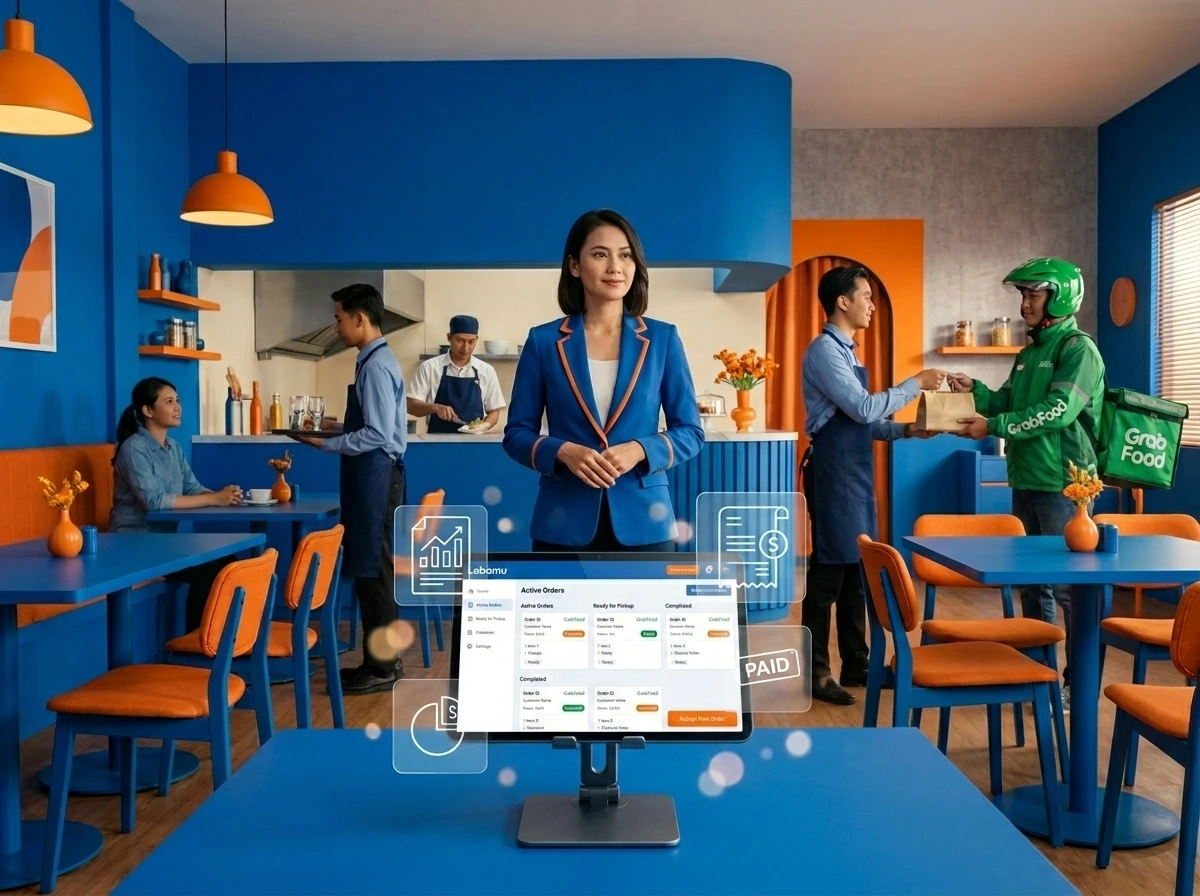
Registering a GrabFood Merchant is now very easy, it is even more optimally integrated with Labamu POS. This integration helps process online orders automatically via the cashier.
Use this link to learn about Labamu POS system modern delivery management GrabFood integration.
What cashier applications can integrate GrabFood?
Choose GrabFood’s Omnichannel feature as your best digital cashier solution. This service is a pioneer of a modern cashier system with the most complete integration.
The Labamu cashier application is very flexible for various types of culinary businesses. This feature is specifically designed as a POS system for food service.
Other digital cashier platforms often require expensive additional integration costs. However, Labamu provides easy access without any burdensome hidden fees.
This makes it the POS solution for restaurants of choice for MSMEs. You can control all online menus on just one device.
How do you integrate GrabFood into the Restaurant Cashier Application?
The presence of Labamu GrabFood’s Omnichannel feature makes the restaurant integration process easier quickly. Culinary entrepreneurs only need to make a few taps on the tablet screen.
First, connect your official GrabMerchant account with the Labamu cashier application. The next step is to enable the delivery management system in the settings.
The system will immediately detect all menu lists from your shop. This is an example of a POS system for efficient food delivery.
Now all sales transactions from GrabFood will be automatically recorded here. You no longer need to rewrite manual customer shopping receipts.
1. Prepare your business identity documents
Complete your files via GrabFood’s Omnichannel feature before registering online. The main document that must be prepared is the KTP of the culinary business owner.
You also have to prepare your Taxpayer Identification Number. Don’t forget to prepare a photo of the front page of your active bank account book.
Bank data is useful for disbursing daily sales funds from consumers. Use a POS system for restaurants to match your financial data.
Make sure all document photos are clear without obscuring shadows. Clear documents speed up GrabFood admin approval in verification.
2. Download the GrabMerchant Application on your cellphone
Get the application via the Labamu guide, GrabFood’s Omnichannel feature for free now. The official GrabMerchant application is available directly on your Google Play Store.
iOS device users can also download it via the Apple App Store. Make sure your cellphone’s storage capacity is sufficient for this application.
Once installed, create a new account by entering an active cellphone number. Use the same number to make daily operations easier in the future.
This step is important to support the POS system for online orders. A stable internet connection is needed during this registration process.
3. Fill in the Culinary Shop Registration Form
Start filling out the registration form with the help of Labamu’s GrabFood Omnichannel feature in a consistent manner. Enter the full name of your culinary shop according to the nameplate.
Determine the complete address of your shop by marking the map correctly. Accurate location helps couriers find your restaurant faster.
Choose the culinary category that best suits the Kamulan menu type. This helps the application algorithm display your shop to customers.
Also apply your shop’s operational hours very carefully. This operational time synchronization keeps your business reputation good.
4. Upload photos of the menu and restaurant location
Show the best menu photos supported by Labamu’s practical Omnichannel GrabFood feature. Take food photos from a bird’s eye view with natural lighting.
Avoid using other people’s food photos from the internet. Real photos increase new customers’ confidence when ordering food online.
Include the price of each food menu honestly without any manipulation. Complete a description of the taste of the food so that potential buyers will be more tempted to try it.
Also upload a photo of the front of your physical store as verification. Shop photos clarify the physical identity of your business in the eyes of partners.
5. Wait for Account Verification from Grab
The data review process runs smoothly thanks to Labamu’s trusted GrabFood Omnichannel feature. The Grab team will check the authenticity of the data within three working days.
You just need to be patient and wait for eligibility news via registered email. Always check the incoming or spam folder in your email regularly.
If there is incomplete data, correct it according to the instructions sent. Don’t delay repairs so that the store activation process is not delayed for long.
Take advantage of this free time to explore Labamu’s smart cashier module. Understand how to manage raw material stock directly through the cashier application.
6. Enable API Integration in the Dashboard
Immediately connect your account via Labamu GrabFood’s Omnichannel feature once it is active. Open your Labamu admin dashboard via your operational cellphone or tablet.
Look for the partner online integration menu in the left sidebar of the screen. Enter your online store credentials obtained from the Grab team.
The system will authenticate the data in just a few seconds. After that, the integration indicator light will change to green.
Now the POS system for your restaurant is fully active without any problems. All food menus on both platforms are now connected automatically.
7. Start Selling Online and Monitor Orders
Manage your new orders utilizing Labamu’s powerful GrabFood Omnichannel feature. Activate the open shop button to start accepting orders from consumers.
Every time an order comes in, your cashier’s tablet will ring loudly. Order details are immediately printed neatly without you needing to type them again.
This speeds up the chef’s time in preparing customers’ delicious dishes. The Grab courier will come to pick up the food on time as estimated.
Enjoy high efficiency managing digital orders with modern cashier technology. Your culinary business is now ready to grow rapidly without operational obstacles.
Steps for Future Culinary Business Success
Increase the scale of your business with Labamu with GrabFood’s reliable Omnichannel feature. Adoption of digital technology is the key to success in facing modern business competition.
Don’t hesitate to switch from conventional paper note-taking methods now. Manage finances and stocks in one hand safely.
Hundreds of culinary entrepreneurs have proven the extraordinary benefits of this cashier system. Warehouse operations become more organized and minimize human error.
Register your store today to start a profitable digital transformation. Contact our admin team to get a free demo of using the system.