

Managing inventory manually is very tiring for business people. Recording errors often trigger large financial losses. You need a simple stock application for operational automation. The digital system helps track goods in and out in real-time.
- A simple stock application functions to automate real-time inventory monitoring. This digital service is effective in preventing physical stock discrepancies and increasing operational efficiency.
- Integration of POS cashier system and digital warehouse management minimizes data input errors. Entrepreneurs can monitor all supply chain activities practically and safely.
Before choosing the best system, let’s understand modern management solutions. You can check Labamu POS to optimize your retail operations. 5 Recommendations for using a simple inventory application for retail business efficiency.
1. Labamu POS offers an all-in-one cashier and inventory application solution
Labamu is the best cashier and inventory application for retail businesses. This application combines sales and inventory management features automatically.

You no longer need to record transactions manually every day. All sales data directly reduces the amount of stock in the warehouse.
This system minimizes the risk of data input errors by employees. Financial reports are also presented instantly every day.
This feature is very suitable for modern retail entrepreneurs. You can monitor your business from anywhere easily.
Labamu’s data security system is also very secure and safe. Your business profits will be monitored very transparently.
Immediately experience operational ease with this best cashier application.
2. Manage Goods Handling Procedures in the Warehouse Systematically
The warehouse stock application helps organize the flow of goods in a neat manner. Stock handling procedures in the warehouse are now more organized.
Use the barcode scanning feature to speed up the goods input process. Every incoming item is immediately recorded in the digital system accurately.
This system prevents goods from getting lost in the warehouse area. Warehouse employees can work faster and more productively.
You can save up to $30\%$ on operational costs for storing goods. The speed of delivering goods to consumers will also increase rapidly.
This efficiency is very important for your customer satisfaction. The layout of goods in the warehouse also becomes more organized.
The risk of damage to goods due to incorrect storage can be avoided.
3. Make Real-Time Physical and Online Stock Adjustments
A simple stock application makes it easier to synchronize your inventory data. Stock adjustment is the process of matching computer data with physical data.
Update data regularly via the digital application dashboard. If there is a difference, the system will immediately provide a warning notification.
How to adjust physical merchandise stock online is very easy. You only need to input the numbers from the latest stock take results.
Data in the online shop will be automatically updated instantly. Customers will not be disappointed because they ordered items that were out of stock.
This step maintains the good reputation of your online retail store. Automatic synchronization prevents order cancellations due to out of stock.
Buyers’ trust in your online store will continue to increase.
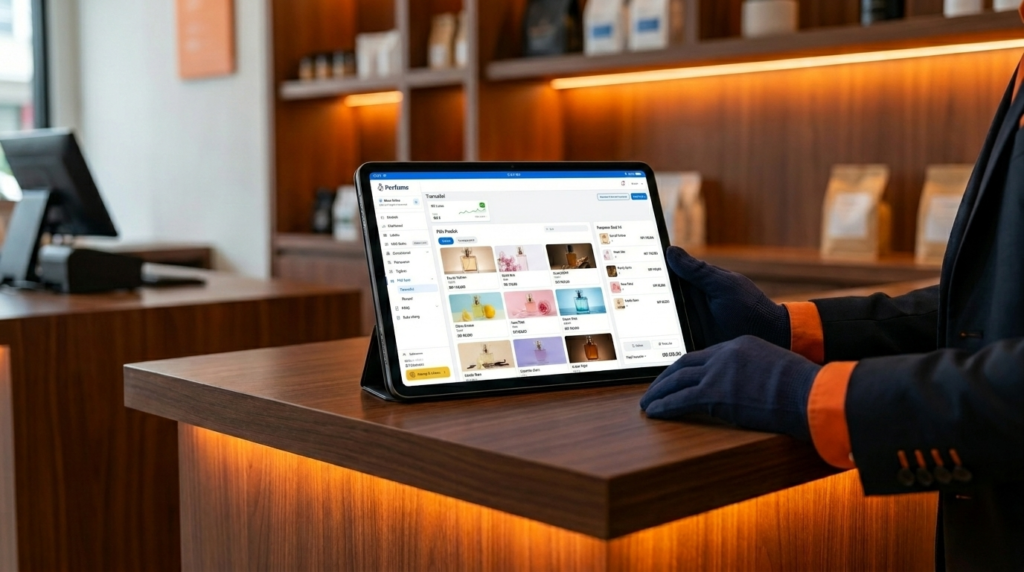
4. Use an application to stock shop goods for efficiency
Applications for store stock make it easier to monitor inventory in the storefront. You can detect best-selling products very quickly.
The system will provide a warning if product stock starts to run low. You can immediately reorder goods from the supplier.
This prevents stock shortages in stores. Your shop’s sales will continue without any obstacles.
Take advantage of the product category feature to organize store storage. Consumers will find it easier to find the products they are looking for.
Shop window management has become much more professional and efficient. Store employees do not need to manually count remaining items.
Employee working time becomes more productive to serve customers.
5. Implement Practical Steps to Improve Company Stock Management
A practical step to improve stock management is to use a digital system. Start by conducting a total audit of all inventory.
Group items by sales velocity level or ABC analysis. Use a simple inventory app to record every movement.
Train employees to be disciplined in using the application in every transaction. Evaluate stock reports weekly to detect data irregularities.
This consistent step will increase the efficiency of your company’s warehouse. Your business profits will also increase gradually.
Don’t delay recording damaged goods so that the data remains accurate. An organized system makes it easier to plan your company’s capital expenditure.
Your company will be ready to face a surge in market demand.
Correct Stock Take Format Reduces the Risk of Differences
The correct stock take format must include complete item details. This format makes it easier to match physical quantities with application data.
Use digital tables to make the inspection process run faster. The following is an example of a simple stock taking table format for a business:
| Item Code | Product name | Stock App | Physical Stock | Difference | Information |
|---|---|---|---|---|---|
| BRG-001 | Liquid Soap | 150 Pcs | 148 Pcs | -2 Pcs | Damaged in warehouse |
| BRG-002 | Bottle Shampoo | 200 Pcs | 200 Pcs | 0 | In accordance |
| BRG-003 | Toothpaste | 90 Pcs | 92 Pcs | +2 Pcs | Wrong input |
Make sure each column is filled in very carefully during the audit. The stock difference must be calculated immediately after the inspection process is complete.
Use a simple formula to calculate the difference in physical stock. Subtract the physical stock amount from the stock amount in the application.
The results of this difference are the basis for making data adjustments.
Mini FAQ related to the Simple Stock Application
- What is the difference between stock cards, stock forms and stock reports?
The stock card records the mutation of one item in detail in the warehouse. The stock form is used to record data during stock taking. The stock report presents a summary of all your remaining inventory. - How do you calculate the stock difference during stock taking?
The way to calculate the difference is to subtract the physical amount from the application data. A negative difference means that goods are missing or damaged in the warehouse. A positive difference indicates an error in recording incoming goods. - What is stock adjustment in warehouse operations?
Stock adjustments are the act of correcting system data to match physical conditions. This step is important to maintain the accuracy of your business’s financial reports. This process is usually carried out after stock taking activities are completed. - What is the procedure for handling stock in the warehouse using the application?
The procedure starts from receiving the goods by scanning a unique barcode code. Next, store the goods on the shelves according to the categories in the warehouse application. Finally, record every item that goes out when there is a sales transaction. - How do I match physical merchandise stock to online data?
You have to use a simple stock application that is fully integrated. Input physical stock taking results directly into the application system. The system will automatically update stock data across all online channels.
Increase Your Business Operational Efficiency Right Now
Don’t let your retail business be destroyed because of messy stock management. It’s time to switch from manual recording to a modern digital system.
Use the best business support applications to secure your valuable assets. Check the solution now on the official Labamu website.
Get the convenience of managing cashiers and stock in one hand. Increase your business profits with reliable technology from Labamu.