
Managing a food business without the help of an electronic system is like trying to complete a puzzle without a guide—chaotic and stressful. You risk losing track of customer orders, running out of ingredients, miscalculating prices, and facing many other potential problems.
Fortunately, Labamu offers a range of features that serve as an all-in-one solution for your business. From the best POS app to inventory management and much more. Let’s explore all the details below!
Labamu Features
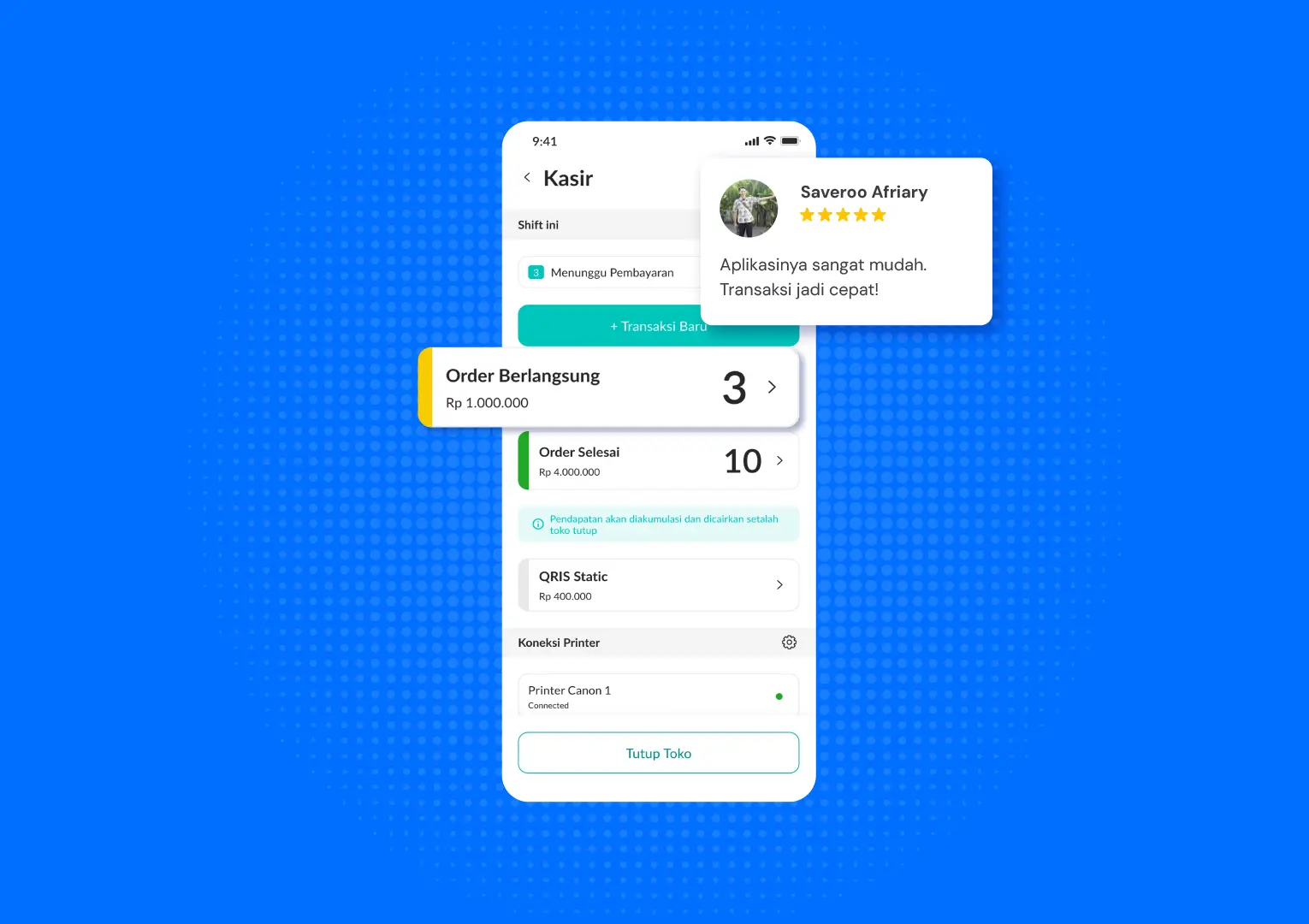
There are too many things to worry about if all your business operations are still done manually. Not only does it take up a lot of time on trivial tasks, but mistakes from forgotten records or miscalculations can also negatively impact your business and, of course, customer satisfaction.
Therefore, optimize your business with Labamu’s standout features, such as the following:
1. POS Cashier
By using the POS Cashier feature, customer transactions become safer and more convenient. This top-notch POS app accommodates various payment methods, including cash, QRIS, e-wallets, bank transfers, and credit cards.
This feature also has a simple interface, making it easy for anyone—even first-time users—to operate.
What’s even more interesting is that Labamu’s POS Cashier is also integrated with other features. For example, if you run a food business, the kitchen team can start preparing customer orders immediately, and you can monitor reports in real time from anywhere.
How to Use the POS Cashier Feature
- Click the ‘POS Cashier’ feature in the ‘Business’ menu.
- Click ‘Open Store Now’ if your store is still closed.
- Click ‘+ New Transaction’ and select the product.
- Click ‘Create Transaction’ and then ‘Proceed to Payment
- Select the payment method and click ‘Share Transaction Receipt
2. Manage Ingredients
With the Manage Ingredients feature, you can not only monitor remaining stock but also organize it more systematically, ensuring you never run out of supplies or lose customer orders again.
This feature also allows you to create a detailed list of ingredients required for each product. As a result, it provides several benefits, such as:
- Stock checking becomes easier, faster, and more organized.
- Ingredient usage becomes more efficient, helping to prevent waste.
- Maintains recipe consistency to ensure quality and customer satisfaction.
How to Use the Ingredients Management Feature
- Open the ‘Manage’ menu, then select ‘Manage Ingredients
- Click ‘+ Ingredient
- Enter the ingredient details, such as name, photo, and price.
- Specify the category and unit of the ingredient.
- Click ‘Save Ingredient
3. QR Menu
Hanya dengan sekali pindai, fitur QR Menu bisa kamu manfaatkan untuk menyediakan sistem pemesanan dan pembayaran yang lebih mudah untuk pelanggan.
All you need to do is print the QR code and place it on tables or share it on social media. After that, customers can order directly through the QR Menu you provide.
Interestingly, the QR Menu interface can be customized, allowing you to align it with your brand’s vibe.
How to Create a QR Menu
- Open the ‘Manage’ menu, then select ‘Online Menu
- Click ‘Download QR Menu
- Print the QR Menu and display it in your store or share it on social media.
4. Order Management
With the Order Management feature, you can check, accept, process, and complete orders all from a single app. This makes restaurant operations more efficient and accurate.
You also don’t have to worry about missing customer orders, as this feature provides real-time notifications whenever a new order comes in.
In addition, this feature gives customers the flexibility to choose their preferred payment method. You can also view sales history summaries to identify which menu items are your best sellers.
How to Accept Orders Using the Order Management Feature
- Click ‘Manage Orders’ in the ‘Business’ menu.
- Select the order you want to process.
- Check the availability of the menu items/products ordered by the customer.
- Receive payment if it hasn’t been made yet.
- Click ‘Complete Order’ once payment has been made.
5. Billing
Labamu also offers a Billing feature that you can use to send invoices to customers who haven’t completed their payments.
With just a few clicks, a professional, accurate, and fast billing form can be created and sent immediately, impressing customers with its neat format.
How to Create an Invoice Using the Billing Feature
- Click the “Billing” feature in the “Business” menu.
- Click “+ New Invoice.”
- Set the billing date and the invoice’s validity period.
- Select the customer and the products to be invoiced.
- Click “Confirm Products” and then “Send Invoice.”
6. Employees
Want your business to keep running even when you’re away? The Employees feature can definitely be the solution.
Here’s a polished and professional English translation of your paragraph:
“By granting access to employees, you can optimize business growth and create efficient teamwork. This ensures operations continue smoothly even when you’re not on-site.
You can also monitor activities in your restaurant in real time and ensure everything runs according to plan.
How to Grant Access Using the Employees Feature
- Click the ‘Profile’ icon at the top of the ‘Business’ menu.
- Select ‘Employee List’
- “Click ‘+ New Employee’.
- Enter the employee’s information and select the access to be granted.
- Share the access link with the employee.
7. Reports
Monitoring the progress of your business operations is essential if you want your business to last. But how can you track growth if your administrative records and transactions are all over the place?
To make it easier to document all your business activities, Labamu’s features can be a great help.
Moreover, the Reports feature provides up-to-date information on your sales status and every detail of your business. From finances and sales to inventory, everything is available in a single app.
How to View Reports
- Click the “Manage” menu.
- Select ‘View Reports
- Select the report period you want to view, ranging from one day to one year
Why Choose Labamu

As summarized above, Labamu’s features provide a complete solution ready to support your business growth.
However, beyond the features mentioned, there are many other options you can choose based on your business needs. Labamu is a practical business app suitable for various types and scales of enterprises.
All you need to do is choose a Labamu package that fits your business and budget.
With a system accessible from any device, Labamu helps ensure your business runs smoothly even when you’re not personally serving customers.
This way, you can keep monitoring operations while focusing on ideas for your next business growth and expansion.
It’s no wonder that this app is trusted by over 84,000 entrepreneurs in Indonesia. One of them is Tiwi Bachmid, owner of @serasa.in, who says it has been a great help.
Transactions with customers are faster, and I can also check sales without having to go to the store.
You also don’t need to worry, as Labamu is officially registered with the Ministry of Communication and Informatics, the Ministry of Investment/Head of the Investment Coordinating Board, and the Indonesian E-Commerce Association (idEA).
Go ahead and download the app from Google Play or the App Store, and experience its benefits firsthand!