From Now On, Be Safer! Labamu’s Simple & Hassle-Free KYC Process
What is KYC
KYC, or Know Your Customer, is the process of identifying and verifying a user’s personal data before they can access certain financial services. The purpose of KYC is to ensure that users are legitimate individuals and to prevent crimes such as money laundering, identity theft, or illegal funding.
WhyKYC Important?
Data and transaction security
Compliance with OJK regulations and the Personal Data Protection (PDP) Law
Prevent account abuse or fraud
Opens access to more comprehensive service features
KYC Process in Labamu App
In order for a user account to be verified and able to use all features in the Labamu application, here are the KYC steps that must be followed:
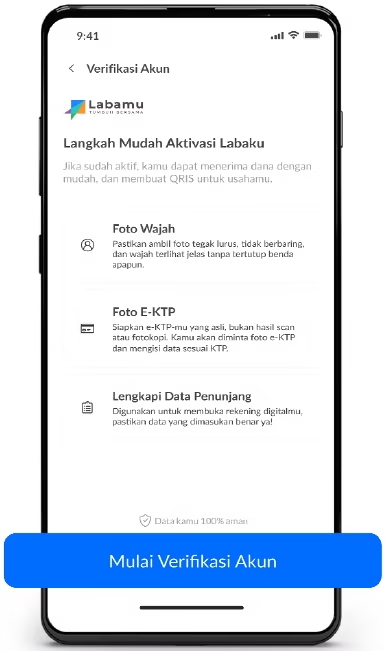
Start Account Verification
Prepare your e-KTP for verification. Then click 'Start Account Verification'.
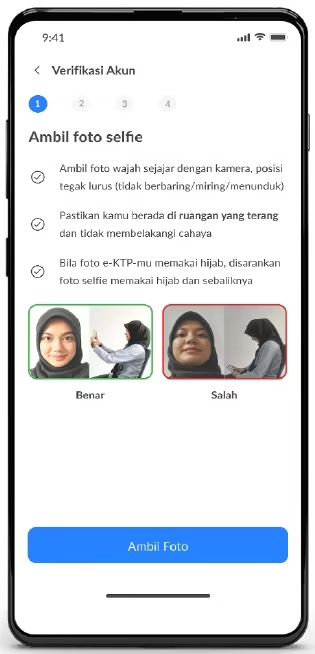
Getting Ready to Take a Selfie
Get ready to take a selfie. Make sure you're in a well-lit room.
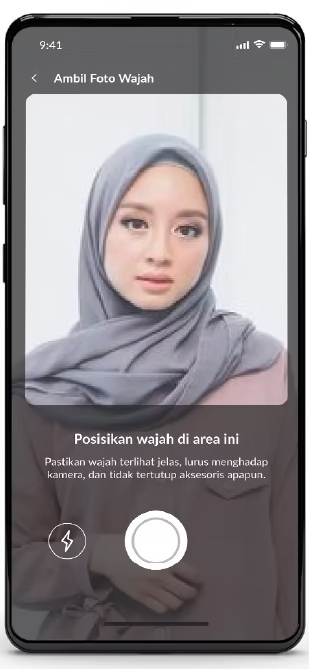
Take a Selfie
Take a headshot. Make sure your face is clearly visible, facing the camera, and not obscured by accessories.
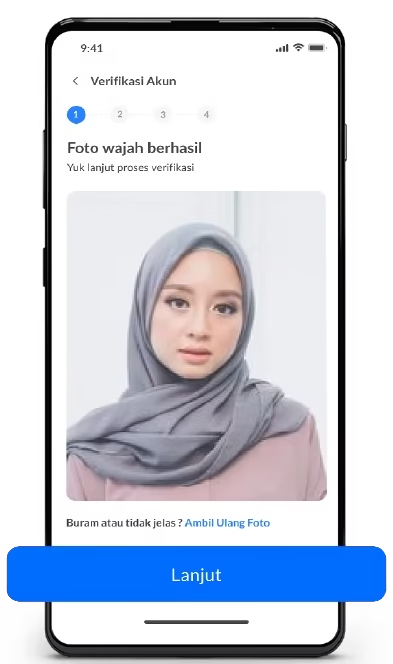
Check Photo Results
Double-check the photo. Click "Continue" to proceed to the next step.
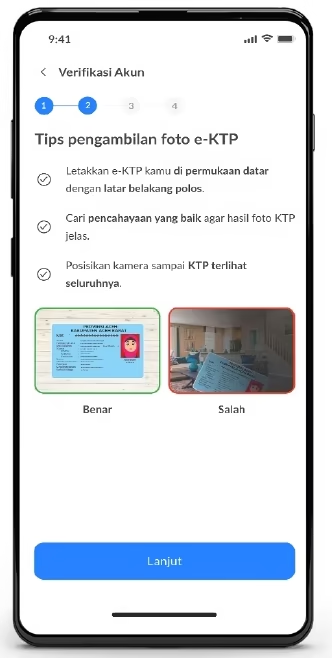
Prepare e-KTP
Prepare your e-KTP. For best results, place your KTP on a flat surface.
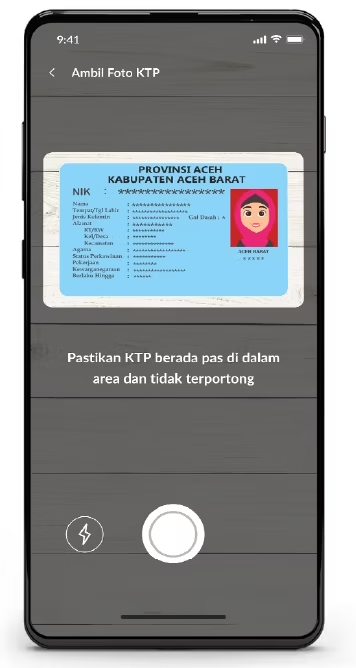
Take a photo of your e-KTP
Take a photo of your ID card. Make sure it fits perfectly within the area and isn't cropped.
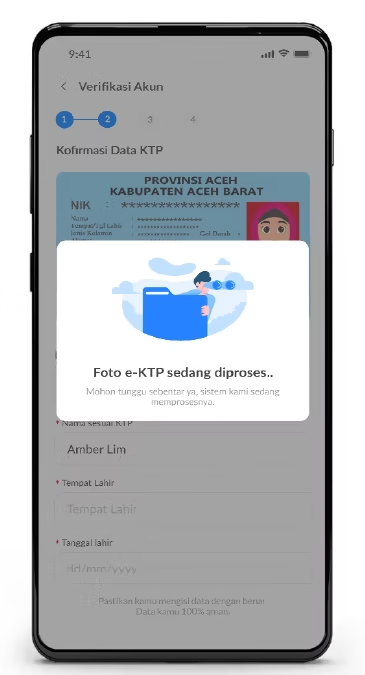
e-KTP photo processed
Your E-KTP photo is being processed.
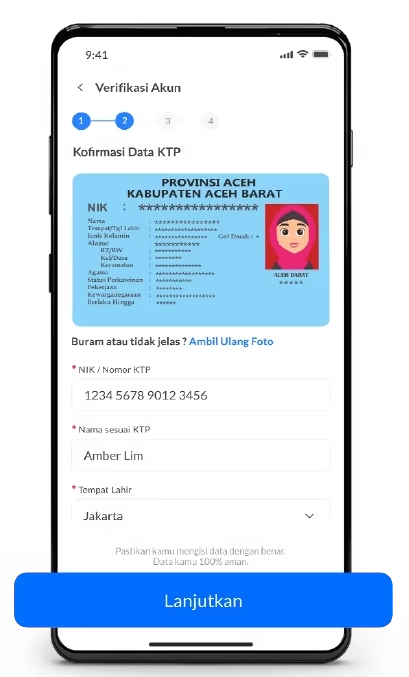
Data Confirmation
Confirm and complete your personal details according to your ID card. Then click 'Continue'.
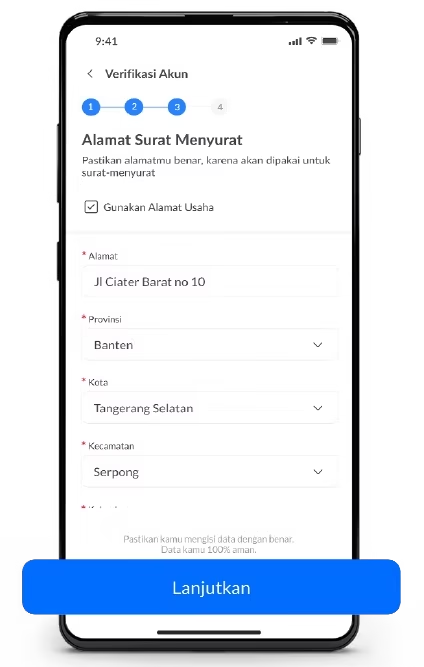
Complete Business Data
Don't forget to complete your business details. Then click 'Continue'.
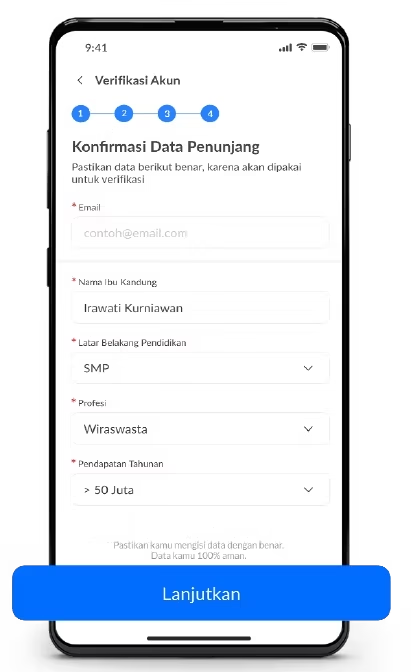
Complete Supporting Data
Complete the other supporting data. Then click 'Continue'.
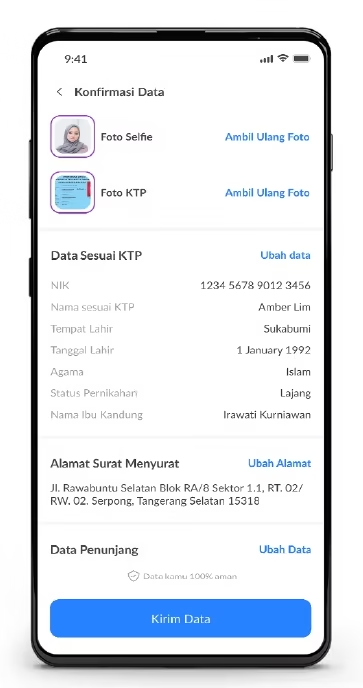
Send Data
Double-check and confirm the data you've entered. If it's correct, click 'Submit Data'.
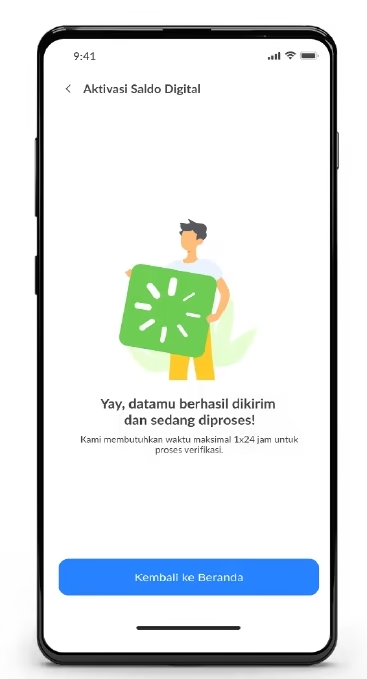
Your Data is Processed
Your data has been successfully sent and is being processed.
Benefits of an AccountVerified
With an account that has gone through the KYC process, users can:
Make fund withdrawals and make transactions.
Register and get the QRIS feature for business transactions.